 651304
GrannyDock PC Custom Windows Image
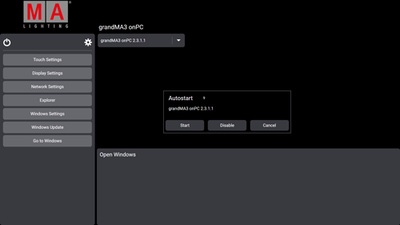
The system image is aligned with the MA workflow, uses the MA Shell Launcher, and includes several GrannyDock-PC-specific presets (Windows layout, grandMA3 screen setup, etc.).
- Based on Windows 10 loT Enterprise LTSC (support until 2032)
- Installed via Windows Recovery (bootable USB flash drive)
- grandMA3 onPC preinstalled
- Boots directly into the MA Shell Launcher for a console-like workflow
- Windows auto-updates disabled
- Preconfigured power plan
- Preconfigured network interfaces: Con1 = DHCP, Con2 = Art-Net (if available)
- Automatic Windows display setup on first boot
- Predefined grandMA3 display layout
- Includes a macro for re-configuring the grandMA3 display layout (configure displays.xml, importable into any showfile)
- GrannyDock branding (desktop background, user icon, etc.)
- Compatible with GrannyDock PC V2 (Geekom A8) hardware
Note:
A Windows 10 IoT Enterprise LTSC license key is required. The license key is not provided.
You're purchasing the creation of a custom Windows recovery image as specified above.
